Unity Script Execution Order Bug: Race Conditions in Awake and Start

Unity Build Size Bug: Unexpectedly Large Executables (Causes and Real Fixes)
February 16, 2026
Unity Touch Input Bug: Lost Touches on Multi-Touch Devices
February 16, 2026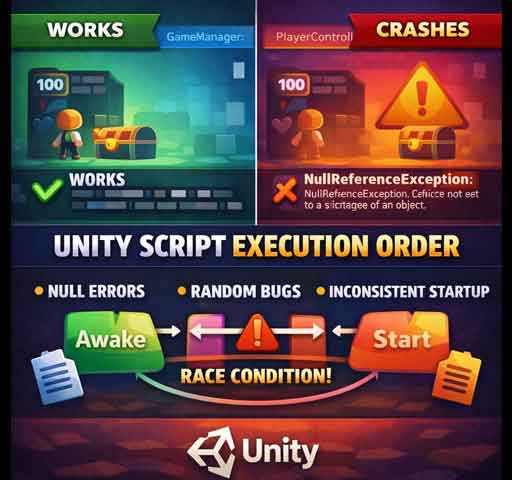
Your scene loads. Sometimes everything works. Sometimes you get a NullReferenceException. Other times an object behaves incorrectly only on the first frame.
You check the code. It looks correct. All references are assigned. But the issue still appears randomly.
This is usually not a Unity engine bug. It is a script execution order problem causing a race condition between Awake and Start.
Understanding Unity’s Initialization Order
Unity calls lifecycle methods in a specific order, but not always in the order you expect across different objects.
For active objects in a scene:
- All Awake methods are called first
- Then all OnEnable methods
- Then all Start methods
The important detail: Unity does not guarantee the order between different GameObjects unless you explicitly define it.
Common Race Condition Scenario
Imagine two scripts:
- GameManager
- PlayerController
PlayerController tries to access GameManager.Instance inside Awake.
If GameManager’s Awake has not run yet, Instance may still be null.
This creates a race condition.
Why It Feels Random
Execution order between objects depends on:
- Scene hierarchy order
- Object activation timing
- Additive scene loading
- Prefab instantiation timing
Reordering objects in the hierarchy can sometimes “fix” the issue temporarily, which makes debugging confusing.
Problem Pattern #1: Accessing Other Objects in Awake
Awake should be used for internal initialization only.
Bad pattern:
void Awake()
{
    player = FindObjectOfType<Player>();
    player.Initialize();
}
If Player has not finished its own Awake logic, this can break.
Safer Pattern: Use Start for Cross-References
Move inter-object communication to Start.
void Awake()
{
    // Internal setup only
}

void Start()
{
    player = FindObjectOfType<Player>();
    player.Initialize();
}
By the time Start runs, all Awake calls have completed.
Problem Pattern #2: Singleton Initialization Timing
Many race conditions come from singletons.
public static GameManager Instance;

void Awake()
{
    Instance = this;
}
If another script accesses GameManager.Instance in its Awake before this executes, it fails.
Reliable Singleton Pattern
Option 1: Lazy initialization.
Option 2: Ensure access happens in Start instead of Awake.
Option 3: Control script execution order explicitly.
Using Script Execution Order Settings
Unity allows you to define execution priority:
- Edit → Project Settings → Script Execution Order
You can force GameManager to execute before PlayerController.
This solves race conditions but should be used carefully. Overusing it creates hidden dependencies.
Problem Pattern #3: Additive Scene Loading
When loading scenes additively, object initialization timing becomes even less predictable.
Objects in the new scene may access systems from the previous scene before they are fully ready.
In this case, use explicit initialization methods instead of relying on Awake or Start.
Better Architecture: Explicit Initialization
Instead of depending on Unity’s lifecycle order, create manual initialization flows.
Example:
public void Initialize(GameManager manager)
{
    this.manager = manager;
}
Then call Initialize after all systems are ready.
This removes hidden timing assumptions.
Common Symptoms of Execution Order Bugs
- NullReferenceException on first frame only
- Works in Editor but fails in build
- Works after reloading scene
- Works when objects are reordered in hierarchy
If you see these patterns, suspect execution order.
Quick Debug Checklist
- Avoid cross-object logic inside Awake
- Use Start for dependencies
- Do not rely on hierarchy order
- Use Script Execution Order only when necessary
- Consider explicit initialization methods
Is This a Unity Bug?
No. Unity follows a defined lifecycle. The issue comes from assuming a specific order between objects without enforcing it.
Race conditions happen when scripts depend on timing that is not guaranteed.
Final Thoughts
Awake is for internal setup. Start is for interaction with other systems.
If your game logic depends on object timing, make that timing explicit. Hidden dependencies between scripts are one of the most common causes of unstable behavior in Unity projects.
Once you structure initialization carefully, these “random” bugs disappear completely.