Unity Touch Input Bug: Lost Touches on Multi-Touch Devices

Unity Script Execution Order Bug: Race Conditions in Awake and Start
February 16, 2026
Unity Texture Compression Bug: Color Banding and Artifacts on Mobile
February 16, 2026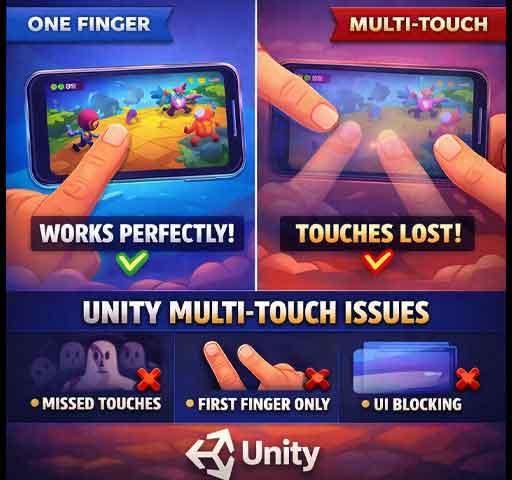
Your mobile game works perfectly with one finger. Then you test multi-touch. Suddenly touches stop registering. One finger cancels another. Sometimes touches disappear completely.
This is often reported as a Unity multi-touch bug. In most cases, Unity is working correctly. The problem usually comes from input handling logic, UI blocking, or misunderstanding how touch phases work.
Here is how to properly diagnose and fix lost touches on multi-touch devices.
Understanding How Unity Handles Touch Input
Unity tracks touches using the Input system. Each active finger on the screen has:
- A unique fingerId
- A position
- A phase (Began, Moved, Stationary, Ended, Canceled)
Common mistake: assuming touches are processed in a fixed order.
Touch index is not the same as finger identity.
Common Mistake #1: Using Only Input.GetTouch(0)
Many developers only read the first touch:
Touch touch = Input.GetTouch(0);
When a second finger appears, logic breaks because only index 0 is processed.
Correct approach:
for (int i = 0; i < Input.touchCount; i++)
{
    Touch touch = Input.GetTouch(i);
    // Handle each touch separately
}
Always loop through all active touches.
Common Mistake #2: Ignoring fingerId
Touch index can change between frames. fingerId does not.
If you track touches across frames, store fingerId instead of the array index.
Bad approach:
- Tracking touch by array index
Correct approach:
- Track by fingerId
Common Mistake #3: UI Blocking Touch Input
If using UI elements, the EventSystem may consume touches before your gameplay script receives them.
Symptoms:
- Touch works on empty space but not over UI
- Second finger ignored when touching UI
Solution:
- Check EventSystem.current.IsPointerOverGameObject()
- Separate UI and gameplay touch handling clearly
Common Mistake #4: Not Handling TouchPhase.Canceled
On some Android devices, touches may enter the Canceled phase.
If your logic only handles Began and Ended, touches may appear “lost.”
Always handle:
- Began
- Moved
- Ended
- Canceled
Common Mistake #5: Mixing Mouse and Touch Input
In Editor testing, many developers use mouse input instead of touch input.
Mouse simulation does not behave exactly like real multi-touch.
Always test on a real device for accurate results.
New Input System Conflicts
If you enabled Unity’s new Input System but still use the old Input API, input may behave inconsistently.
Check:
- Project Settings → Player → Active Input Handling
Ensure you are not mixing both systems unintentionally.
Platform-Specific Issues
Some Android devices:
- Limit maximum touch points
- Have aggressive palm rejection
- Cancel touches during system gestures
If touches disappear near screen edges, it may be OS-level gesture interference.
Robust Multi-Touch Pattern
Good structure for multi-touch handling:
foreach (Touch touch in Input.touches)
{
    switch (touch.phase)
    {
        case TouchPhase.Began:
            // Register new touch
            break;

        case TouchPhase.Moved:
        case TouchPhase.Stationary:
            // Update touch
            break;

        case TouchPhase.Ended:
        case TouchPhase.Canceled:
            // Clean up touch
            break;
    }
}
This ensures no touch phase is ignored.
Common Symptoms of Lost Touch Bugs
- Second finger not detected
- Pinch zoom sometimes fails
- Drag stops when another finger touches screen
- Touch disappears near UI
These are almost always logic or configuration issues.
Quick Debug Checklist
- Loop through all Input.touches
- Track touches by fingerId
- Handle TouchPhase.Canceled
- Check UI blocking
- Test on real device
- Avoid mixing old and new Input systems
Is This a Unity Bug?
True multi-touch engine bugs are rare in current Unity versions. Most lost touch issues come from incorrect handling logic or device-specific behavior.
Multi-touch requires explicit, careful management of each finger.
Final Thoughts
If touches disappear or behave inconsistently, do not assume the engine is broken.
Review your loop, track fingerId properly, handle all phases, and test on real hardware.
Once structured correctly, Unity’s multi-touch system is stable and reliable across modern devices.