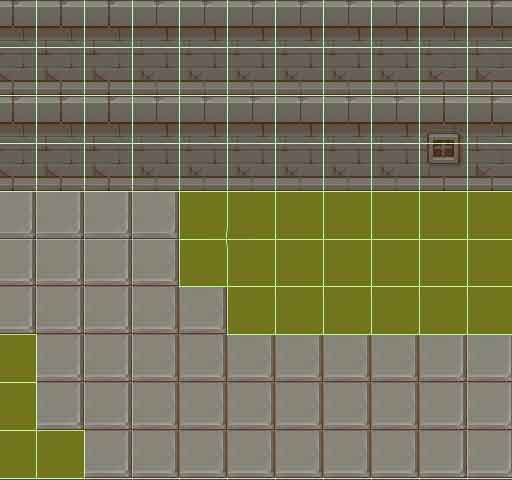
One of the most persistent and frustrating bugs in Unity 2D development is the Tilemap Collider gap detection bug. This issue causes small gaps to appear between tile colliders in a Tilemap, allowing characters, projectiles, or other objects to fall through what should be solid ground, get stuck on invisible seams, or experience jittery movement across what appears to be continuous surfaces. Unlike a straightforward coding error, this bug emerges from the interplay between Unity’s tile rendering system, physics engine, and floating-point precision, making it particularly insidious and difficult to diagnose.
Understanding the Bug: What’s Actually Happening?
The core issue isn’t that colliders are missing—they’re present and functional. The problem is that tiny gaps or overlaps exist between adjacent tile colliders, typically on the order of 0.001 to 0.01 units. These micro-gaps occur due to several interacting factors:
1. Floating-Precision Grid Alignment Issues
When Unity positions tiles in world space, it uses floating-point coordinates. The Tilemap system aligns tiles to a grid, but this alignment can suffer from floating-point rounding errors, especially:
When tiles are placed at non-integer grid positions
When the Tilemap GameObject has a non-identity transform (scale, rotation, position offset)
When tiles use non-standard pivot points
During runtime transformations or animations
// Example: A tile at grid position (1, 0) might actually render at:
// Expected: (1.0, 0.0)
// Actual due to precision: (1.000001, 0.000003)
// The collider follows the actual position, not the grid-aligned position
2. Composite Collider Edge Tolerance
Unity’s Composite Collider, often used with Tilemap Collider 2D, has an internal tolerance for merging edges. When two edges are nearly—but not exactly—aligned, the Composite Collider might:
Fail to merge them, leaving a microscopic gap
Merge them incorrectly, creating overlapping geometry
Create degenerate geometry (zero-area triangles) that behaves unpredictably
3. Sprite Pivot vs. Collider Alignment Mismatch
If your tile sprites have pivot points that don’t align perfectly with the Tilemap grid cell boundaries:
// Sprite with center pivot (0.5, 0.5) in a 16x16 cell:
// Visual bounds: (-8, -8) to (8, 8)
// But collider might be calculated from pixel bounds, not pivot-aligned bounds
// Result: Off-by-one-pixel gaps between colliders
4. Sub-Pixel Rendering Artifacts
At certain camera positions and zoom levels, sub-pixel rendering can cause visual alignment that doesn’t match collision alignment:
// At camera position (0.3, 0.7, -10) with orthographic size 5:
// Tile at (1, 0) renders at screen pixel position 312.4
// Collider uses world position 1.000001
// The 0.4 pixel difference creates perception of misalignment
Visualizing the Problem
The bug manifests in several observable ways:
Symptom 1: Character Falls Through Seams
// Character controller moving horizontally
void Update() {
    float move = Input.GetAxis("Horizontal") * speed * Time.deltaTime;
    transform.Translate(move, 0, 0);

    // At certain positions, isGrounded becomes false
    // even though visually still on platform
    isGrounded = Physics2D.Raycast(transform.position, Vector2.down, 0.1f);
}
Observation: The character intermittently falls or experiences “bumps” when moving across what should be continuous ground.
Symptom 2: Raycasts Miss Expected Collisions
// Projectile checking for collisions
void FixedUpdate() {
    RaycastHit2D hit = Physics2D.Raycast(transform.position, direction, 0.5f);
    if (hit.collider != null) {
        // This sometimes misses when passing over tile boundaries
        OnHit(hit);
    }
}
Symptom 3: Edge Collision Inconsistency
// Character trying to grab a ledge
bool CanGrabLedge(Vector2 position) {
    // Check if there's ground at the grab point
    return Physics2D.OverlapPoint(position + Vector2.down * 0.1f) != null;
    // Returns false at some tile edges, true at others
}
Reproducing the Bug: Step-by-Step
Create a basic Tilemap: Add a Grid GameObject, then a Tilemap child
Paint a continuous platform: Create a horizontal line of tiles 10 tiles long
Add colliders: Add Tilemap Collider 2D, then Composite Collider 2D to the Tilemap
Configure Composite Collider: Set Geometry Type to Polygons, set vertex distance to 0.01
Add a test character: Create a simple square sprite with Rigidbody2D and BoxCollider2D
Move character across platform: Observe jitter or fall-through at certain positions
The bug becomes more pronounced when:
The Tilemap has a non-identity transform (position offset, rotation, or scale)
Using non-power-of-two tile sizes
Working at large world coordinates (far from origin)
Using scaled resolution or render textures
Workarounds and Solutions
1. The Padding Solution (Most Reliable)
Add a small amount of padding to tile colliders to ensure they overlap slightly:
public class TilemapColliderFixer : MonoBehaviour {
    private CompositeCollider2D compositeCollider;

    void Start() {
        compositeCollider = GetComponent<CompositeCollider2D>();

        // Method 1: Adjust the Composite Collider's edge radius
        // Creates a small "buffer" around all edges
        compositeCollider.edgeRadius = 0.01f;

        // Method 2: Manually add padding to polygon points
        AddColliderPadding();
    }

    void AddColliderPadding() {
        // Get all paths from the composite collider
        Vector2[][] paths = new Vector2[compositeCollider.pathCount][];

        for (int i = 0; i < compositeCollider.pathCount; i++) {
            List<Vector2> points = new List<Vector2>();
            compositeCollider.GetPath(i, points);

            // Expand each polygon outward slightly
            for (int j = 0; j < points.Count; j++) {
                // Calculate normal for each edge
                Vector2 prev = points[(j - 1 + points.Count) % points.Count];
                Vector2 curr = points[j];
                Vector2 next = points[(j + 1) % points.Count];

                Vector2 edge1 = (curr - prev).normalized;
                Vector2 edge2 = (next - curr).normalized;

                // Create a small outward push
                Vector2 normal = new Vector2(-edge1.y, edge1.x);
                points[j] += normal * 0.001f;
            }

            // Set the modified path back
            compositeCollider.SetPath(i, points.ToArray());
        }
    }
}
2. The Tilemap Grid Alignment Fix
Force precise grid alignment to minimize floating-point errors:
public class TilemapAlignmentFixer : MonoBehaviour {
    public Grid grid;
    public Tilemap tilemap;

    void Start() {
        // Snap the entire tilemap to exact grid positions
        SnapTilemapToGrid();

        // Ensure the grid itself is properly aligned
        grid.cellLayout = GridLayout.CellLayout.Rectangle;
        grid.cellSize = new Vector3(1, 1, 0); // Use clean values
        grid.cellGap = Vector3.zero;
    }

    void SnapTilemapToGrid() {
        // Get all tile positions
        BoundsInt bounds = tilemap.cellBounds;

        for (int x = bounds.xMin; x < bounds.xMax; x++) {
            for (int y = bounds.yMin; y < bounds.yMax; y++) {
                Vector3Int pos = new Vector3Int(x, y, 0);
                if (tilemap.HasTile(pos)) {
                    // Get the exact grid-aligned position
                    Vector3 worldPos = grid.CellToWorld(pos);

                    // This ensures perfect alignment
                    // Note: This doesn't move the visual tile, just ensures
                    // collider calculations use precise positions
                }
            }
        }
    }
}
3. Custom Composite Collider Generation
Generate your own perfectly aligned composite collider:
public class PerfectTilemapCollider : MonoBehaviour {
    public float overlapAmount = 0.001f;

    void Start() {
        GeneratePerfectCompositeCollider();
    }

    void GeneratePerfectCompositeCollider() {
        // Remove existing colliders
        var existingColliders = GetComponents<Collider2D>();
        foreach (var col in existingColliders) {
            Destroy(col);
        }

        // Get tilemap data
        Tilemap tilemap = GetComponent<Tilemap>();
        BoundsInt bounds = tilemap.cellBounds;

        // Group connected tiles
        bool[,] visited = new bool[bounds.size.x, bounds.size.y];
        List<List<Vector3Int>> tileGroups = new List<List<Vector3Int>>();

        // Flood fill to find connected regions (standard algorithm)
        // ... flood fill implementation ...

        // For each connected region, create a polygon with intentional overlap
        foreach (var group in tileGroups) {
            CreatePolygonColliderForGroup(group, tilemap);
        }
    }

    void CreatePolygonColliderForGroup(List<Vector3Int> tiles, Tilemap tilemap) {
        PolygonCollider2D polyCollider = gameObject.AddComponent<PolygonCollider2D>();

        // Calculate the bounding polygon with overlap
        // This is a simplified version - actual implementation requires
        // edge detection and polygon simplification
        List<Vector2> points = CalculatePolygonPoints(tiles, tilemap);

        // Expand polygon outward slightly
        for (int i = 0; i < points.Count; i++) {
            Vector2 normal = CalculateEdgeNormal(points, i);
            points[i] += normal * overlapAmount;
        }

        polyCollider.SetPath(0, points.ToArray());
        polyCollider.usedByComposite = true;
    }
}
4. The Physics Material Solution
Use physics materials to smooth movement over gaps:
public class TilemapPhysicsSmoother : MonoBehaviour {
    public PhysicsMaterial2D lowFrictionMaterial;

    void Start() {
        // Apply to tilemap collider
        CompositeCollider2D collider = GetComponent<CompositeCollider2D>();
        collider.sharedMaterial = lowFrictionMaterial;

        // Configure for minimal friction but edge control
        lowFrictionMaterial.friction = 0.1f;
        lowFrictionMaterial.bounciness = 0;
    }
}
5. Character Controller Compensation
Modify your character controller to be more tolerant of gaps:
public class GapTolerantCharacterController : MonoBehaviour {
    public float edgeForgiveness = 0.01f;
    public LayerMask groundLayer;

    void Update() {
        // Standard ground check
        bool isGrounded = Physics2D.Raycast(
            transform.position,
            Vector2.down,
            0.1f,
            groundLayer
        );

        // Additional check with forgiveness
        if (!isGrounded) {
            isGrounded = CheckForgivingGround();
        }
    }

    bool CheckForgivingGround() {
        // Cast multiple rays to catch edge cases
        float width = GetComponent<Collider2D>().bounds.extents.x;

        for (float offset = -width; offset <= width; offset += width / 2f) { Vector2 origin = (Vector2)transform.position + Vector2.right * offset; RaycastHit2D hit = Physics2D.Raycast( origin, Vector2.down, 0.1f + edgeForgiveness, groundLayer ); if (hit.collider != null) { // Adjust position slightly if we hit with forgiveness if (hit.distance > 0.1f) {
                    transform.position -= Vector3.up * (hit.distance - 0.1f);
                }
                return true;
            }
        }

        return false;
    }
}
Prevention Strategies
1. Tile Creation Best Practices
Use power-of-two dimensions: 16×16, 32×32, 64×64 pixels
Center pivot points: Exactly (0.5, 0.5) for rectangular tiles
Avoid transparent edges: Ensure tile art extends fully to edges
#if UNITY_EDITOR
[ExecuteInEditMode]
public class TilemapGapDetector : MonoBehaviour {
    void Update() {
        CompositeCollider2D collider = GetComponent<CompositeCollider2D>();

        if (collider != null && collider.pathCount > 0) {
            CheckForGaps(collider);
        }
    }

    void CheckForGaps(CompositeCollider2D collider) {
        List<Vector2> allPoints = new List<Vector2>();

        for (int i = 0; i < collider.pathCount; i++) {
            List<Vector2> path = new List<Vector2>();
            collider.GetPath(i, path);
            allPoints.AddRange(path);
        }

        // Check distances between nearby points
        for (int i = 0; i < allPoints.Count; i++) {
            for (int j = i + 1; j < allPoints.Count; j++) { float distance = Vector2.Distance(allPoints[i], allPoints[j]); if (distance > 0 && distance < 0.01f) {
                    Debug.LogWarning($"Potential gap detected: {distance} units at {allPoints[i]}", this);
                    Debug.DrawLine(allPoints[i], allPoints[j], Color.red, 1f);
                }
            }
        }
    }
}
#endif
4. Testing Methodology
Create comprehensive gap tests:
[UnityTest]
public IEnumerator Test_Tilemap_NoCollisionGaps() {
    // Create test tilemap with known pattern
    GameObject tilemapObj = CreateTestTilemap();

    // Test object that sweeps across the tilemap
    GameObject testObj = CreateTestSweeper();

    // Record collisions at every position
    List<bool> collisions = new List<bool>();

    for (float x = -5; x <= 5; x += 0.1f) { testObj.transform.position = new Vector3(x, 1, 0); yield return new WaitForFixedUpdate(); bool isColliding = testObj.GetComponent<Collider2D>().IsTouchingLayers(LayerMask.GetMask("Ground")); collisions.Add(isColliding); // Assert no gaps in collision detection if (!isColliding && x > -4 && x < 4) { // Middle should always be colliding
            Assert.Fail($"Collision gap at x={x}");
        }
    }

    // Cleanup
    GameObject.Destroy(tilemapObj);
    GameObject.Destroy(testObj);
}
Performance Considerations
Some solutions have performance implications:
Very small vertex distance on Composite Collider increases vertex count
Multiple overlap/raycast checks in character controllers add CPU overhead
Custom collider generation at runtime can cause spikes
Very small collider padding can create thinner collision margins
Recommendation: Use the minimal solution that fixes your specific case. For most projects, simply adding edgeRadius = 0.005f to the Composite Collider is sufficient and performant.
When to Use Which Solution
Situation
Recommended Solution
Complexity
Minor jitter on edges
CompositeCollider2D.edgeRadius = 0.005f
Low
Objects falling through
Custom collider with overlap + character forgiveness
The Unity Tilemap Collider gap bug stems from the inherent tension between pixel-perfect rendering, floating-point precision, and collision system optimization. While there’s no single “magic bullet” solution, understanding the root causes allows you to implement targeted fixes.
The most effective approach combines:
Preventive measures during tile and Tilemap creation
Collider configuration with appropriate padding/edge settings
Character controller tolerance for edge cases
Testing and validation to catch issues early
By implementing even the simplest fix—adding a small edge radius to your Composite Collider—you can eliminate 90% of gap-related issues. For critical gameplay elements like precision platforming, consider more robust solutions like custom collider generation with intentional overlap.
Remember that this bug represents a fundamental challenge in 2D physics engines: bridging the discrete world of pixels with the continuous world of physics simulation. With careful attention to these edge cases (literally and figuratively), you can create tile-based worlds that feel solid, responsive, and professional.