Procedural Audio Basics in Unity

Orthographic vs Perspective Cameras in Unity: Tradeoffs Explained
February 25, 2026
Burst Compiler Overview in Unity
February 25, 2026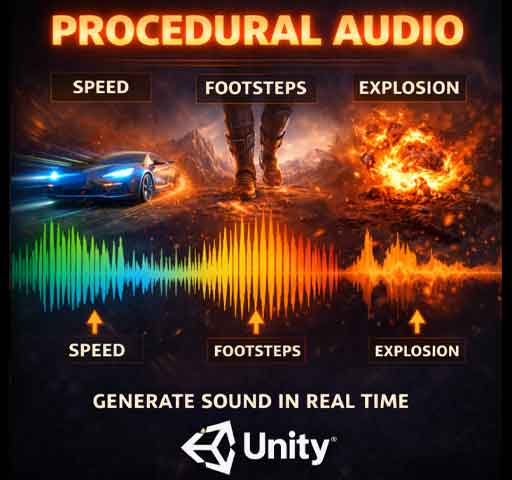
Most games play audio files.
Procedural audio generates sound in real time.
Instead of pressing play on a recorded explosion or footstep, the sound is created dynamically using code, math, and parameters. That might sound complicated, but the core idea is simple: sound doesn’t have to be static.
Procedural audio can react to gameplay in ways pre-recorded clips cannot. Engine pitch changes with speed. Wind intensifies as the player climbs higher. Footsteps subtly vary every time.
In this guide, we’ll break down what procedural audio is, when to use it, and how to build simple systems in Unity.
What Is Procedural Audio?
Procedural audio is sound generated or modified in real time using algorithms instead of relying entirely on prerecorded audio files.
This can mean:
- Generating raw waveforms with code
- Modifying pitch and volume dynamically
- Layering sound components based on gameplay
- Using noise functions for variation
It doesn’t always mean “no audio files.” Often it’s a hybrid system.
Why Use Procedural Audio?
There are several benefits:
- Infinite variation
- Smaller file sizes
- Dynamic responsiveness
- Less repetition
For example, instead of storing 20 different engine sounds, you can generate one that adapts smoothly to RPM values.
This makes gameplay feel more alive.
Procedural vs Traditional Audio
Traditional Audio:
- Pre-recorded WAV or MP3 files
- Triggered by events
- Limited variation
Procedural Audio:
- Generated or modified in real time
- Driven by game variables
- Highly adaptive
Most modern games combine both approaches.
Real-Time Parameter Control (The Simple Form)
You don’t need complex waveform generation to start using procedural techniques.
The simplest version is modifying AudioSource properties dynamically.
Example: Engine Sound Based on Speed
using UnityEngine;

public class EngineAudio : MonoBehaviour
{
    public AudioSource engineSource;
    public Rigidbody carRigidbody;
    public float maxSpeed = 50f;

    void Update()
    {
        float speed = carRigidbody.velocity.magnitude;
        float normalizedSpeed = speed / maxSpeed;

        engineSource.pitch = Mathf.Lerp(0.8f, 2f, normalizedSpeed);
        engineSource.volume = Mathf.Lerp(0.5f, 1f, normalizedSpeed);
    }
}
This adjusts pitch and volume in real time based on movement speed.
No new audio files required. The sound adapts automatically.
Adding Variation with Randomization
Repetition breaks immersion quickly.
Footsteps are a common example. Even with the same clip, slight pitch variation makes a big difference.
using UnityEngine;

public class FootstepAudio : MonoBehaviour
{
    public AudioSource footstepSource;

    public void PlayFootstep()
    {
        footstepSource.pitch = Random.Range(0.9f, 1.1f);
        footstepSource.Play();
    }
}
Small variations prevent the “machine gun repetition” effect.
Generating Sound with OnAudioFilterRead
Unity allows you to generate raw audio samples directly using OnAudioFilterRead.
This method gives access to the actual audio buffer.
Simple Sine Wave Generator
using UnityEngine;

[RequireComponent(typeof(AudioSource))]
public class SineWaveGenerator : MonoBehaviour
{
    public float frequency = 440f;
    private float sampleRate = 48000f;
    private float phase = 0f;

    void OnAudioFilterRead(float[] data, int channels)
    {
        for (int i = 0; i < data.Length; i += channels)
        {
            float sample = Mathf.Sin(2 * Mathf.PI * frequency * phase / sampleRate);
            phase++;

            for (int j = 0; j < channels; j++)
            {
                data[i + j] = sample * 0.1f;
            }
        }
    }
}
This creates a basic sine wave tone.
It’s simple, but it demonstrates how audio can be generated entirely through math.
Using Noise for Natural Sounds
Perlin noise and white noise are often used in procedural audio.
Examples:
- Wind sounds
- Fire crackling
- Rain ambience
Noise creates unpredictable but natural variation.
Layering for Richer Sound
Procedural systems often layer multiple elements:
- Base engine hum
- High-frequency whine
- Environmental reverb
Each layer responds to different parameters.
Instead of one static clip, you build a dynamic soundscape.
Procedural Audio with Audio Mixer
Unity’s Audio Mixer allows you to expose parameters and control them via script.
This is useful for:
- Dynamic reverb zones
- Low-pass filters underwater
- Combat intensity mixing
For example, applying a low-pass filter when underwater:
using UnityEngine;
using UnityEngine.Audio;

public class UnderwaterEffect : MonoBehaviour
{
    public AudioMixer mixer;

    public void SetUnderwater(bool isUnderwater)
    {
        if (isUnderwater)
            mixer.SetFloat("LowPassCutoff", 800f);
        else
            mixer.SetFloat("LowPassCutoff", 22000f);
    }
}
This changes the sound environment instantly.
When to Use Procedural Audio
Procedural audio works best when:
- Sounds must react continuously to gameplay
- Variation is important
- File size needs to stay small
- Systems are physics-driven
It may not be necessary for:
- Voice acting
- Cinematic music tracks
- Highly detailed one-shot effects
Use it where responsiveness matters most.
Performance Considerations
Generating audio in real time is more CPU-intensive than playing clips.
Keep in mind:
- Avoid heavy math inside OnAudioFilterRead
- Keep sample calculations simple
- Test on target hardware
Parameter-driven procedural systems are usually lightweight. Raw waveform generation needs more care.
Common Mistakes
- Overcomplicating simple sound needs
- Forgetting to clamp pitch and volume
- Ignoring clipping distortion
- Using extreme random ranges
Subtlety usually sounds more realistic.
Final Thoughts
Procedural audio isn’t about replacing all your sound files.
It’s about making sound reactive.
Start simple. Adjust pitch with speed. Add small random variation. Experiment with filters.
Once you understand the basics, you’ll start thinking of audio not as static files, but as systems that breathe with gameplay.
And that’s when your game starts to sound alive.