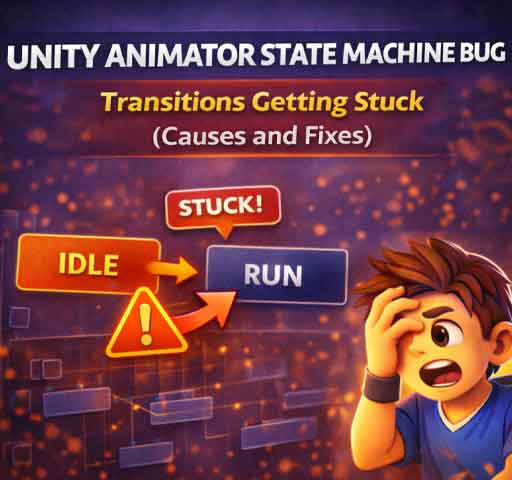
Your character enters an animation state and refuses to leave it. Or a transition starts but never completes. Sometimes the Animator looks correct in the graph, yet in Play Mode the state machine behaves differently.
When Animator transitions get stuck, the issue is almost always configuration-related. Below is a structured way to diagnose and fix it.
Step 1: Check Exit Time Settings
Select the transition arrow between states and inspect:
Has Exit Time
Exit Time value
Transition Duration
If Has Exit Time is enabled, the transition will not happen until the animation reaches the specified normalized time.
Common mistake: Exit Time is set to 1, but the animation loops. The state never reaches the required condition in the way you expect.
Fix:
Disable Has Exit Time for instant transitions
Or adjust Exit Time to a realistic value
Step 2: Verify Transition Conditions
If your transition depends on parameters (bool, trigger, float, int), confirm they are actually changing.
Add temporary debug logs:
Debug.Log(animator.GetBool("IsRunning"));
Very common issue:
Parameter name typo
Trigger never fired
Parameter reset too early
Remember that triggers automatically reset after being consumed.
Step 3: Check for Competing Transitions
If multiple transitions leave the same state, Unity evaluates them in order.
If one condition is always true, it may block other transitions.
Inspect:
All outgoing transitions
Condition priority
Whether multiple conditions overlap
Remove unnecessary transitions while debugging.
Step 4: Look at Transition Duration
If Transition Duration is too long, it may look like the state is stuck.
Try setting:
Transition Duration = 0.05
Short transitions make debugging easier.
Step 5: Confirm Animation Is Not Looping Unexpectedly
Select the animation clip and check:
Loop Time
If an animation loops and Has Exit Time is enabled, the transition may never behave as expected.
Step 6: Check Animator Layer Settings
If you are using multiple Animator layers:
Check layer weight
Check blending mode
Verify masks
A stuck animation may actually be overridden by another layer.
Step 7: Root Motion Side Effects
If Apply Root Motion is enabled, transitions may appear frozen because movement logic conflicts with animation-driven motion.
Test by temporarily disabling Apply Root Motion.
Step 8: Make Sure the Animator Is Not Being Reassigned
If you reassign the runtime controller during gameplay, the state machine resets.
Very rarely. The Animator system is deterministic. If a transition is stuck, it means the required condition is never met, or another rule is blocking it.
Most issues come from:
Exit Time misunderstanding
Condition logic errors
Competing transitions
Layer conflicts
Final Checklist
Disable Has Exit Time (test)
Confirm parameters change correctly
Reduce transition duration
Remove extra transitions
Watch Animator in Play Mode
Check layer blending
Animator state machines are predictable once you understand the rules. When transitions get stuck, the problem is almost always in configuration, not in Unity itself.