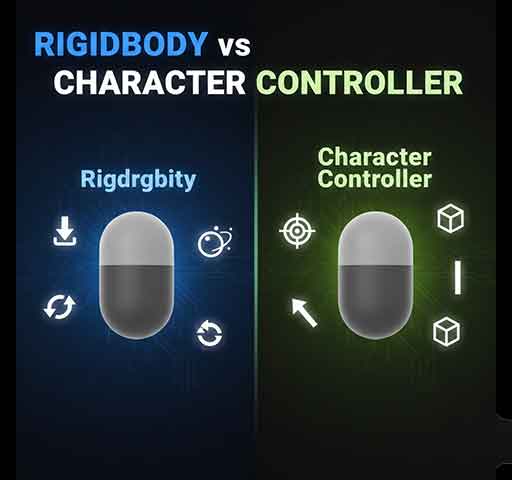
If you’re building a player controller in Unity, one of the first decisions you face is this: should you use a Rigidbody or a CharacterController?
Both can move a character. Both detect collisions. But they behave very differently under the hood.
Choosing the wrong one can lead to jitter, sticking, sliding, or physics problems later in development. So let’s break this down clearly and practically.
Rigidbody is Unity’s full physics-based component. It uses the physics engine to simulate:
Movement is controlled by physics calculations.
using UnityEngine;
public class RigidbodyPlayer : MonoBehaviour
{
public float speed = 5f;
private Rigidbody rb;
void Start()
{
rb = GetComponent<Rigidbody>();
rb.constraints = RigidbodyConstraints.FreezeRotationX
| RigidbodyConstraints.FreezeRotationZ;
}
void FixedUpdate()
{
float moveX = Input.GetAxis("Horizontal");
float moveZ = Input.GetAxis("Vertical");
Vector3 move = new Vector3(moveX, 0f, moveZ);
rb.velocity = new Vector3(move.x * speed, rb.velocity.y, move.z * speed);
}
}
This uses velocity for stable physics movement.
CharacterController is not physics-based. It is a kinematic collision system designed specifically for characters.
It does not respond to forces automatically. You manually control movement using Move().

using UnityEngine;
public class ControllerPlayer : MonoBehaviour
{
public float speed = 5f;
public float gravity = -9.81f;
private CharacterController controller;
private float verticalVelocity;
void Start()
{
controller = GetComponent<CharacterController>();
}
void Update()
{
float moveX = Input.GetAxis("Horizontal");
float moveZ = Input.GetAxis("Vertical");
Vector3 move = new Vector3(moveX, 0f, moveZ);
if (move.magnitude > 1f)
move.Normalize();
if (controller.isGrounded && verticalVelocity < 0)
verticalVelocity = -2f;
verticalVelocity += gravity * Time.deltaTime;
Vector3 finalMove = move * speed;
finalMove.y = verticalVelocity;
controller.Move(finalMove * Time.deltaTime);
}
}
This gives you full control over character behavior.
Rigidbody: Fully interacts with physics objects. Can push and be pushed.
CharacterController: Does not respond naturally to forces. You must script interactions manually.
Rigidbody: Can tip over, jitter, or slide if not configured properly.
CharacterController: Stable and predictable for player movement.
Rigidbody: May slide down slopes unless friction is adjusted.
CharacterController: Built-in slope limit and step offset settings.
Rigidbody: Automatic gravity.
CharacterController: You must apply gravity manually.
Rigidbody: Uses OnCollisionEnter, OnTriggerEnter.
CharacterController: Uses OnControllerColliderHit.
Examples:
It is usually the better choice for traditional player characters.
Do not add both Rigidbody and CharacterController to the same object. They conflict with each other.
If you need physics reactions occasionally, simulate them manually or temporarily switch control logic.
CharacterController is generally lighter and more predictable.
Rigidbody can become heavy if many physics interactions are happening simultaneously.
For a single player character, performance difference is usually minor. Stability and control are more important factors.
There is no universal “better” option. It depends on the game type.
If you want tight, responsive player control, CharacterController is usually the safer choice.
If your gameplay depends heavily on physics realism, Rigidbody is more appropriate.
For most beginner and intermediate projects:
This combination provides stability, predictability, and clean interaction between gameplay and physics systems.
The key is understanding how each system works internally. Once you do, choosing the right one becomes simple.