Dynamic Camera Shake Systems

Height Maps in Unity: Turning Flat Surfaces into Real Worlds
February 24, 2026
Parallax Scrolling in 3D (Unity Guide)
February 24, 2026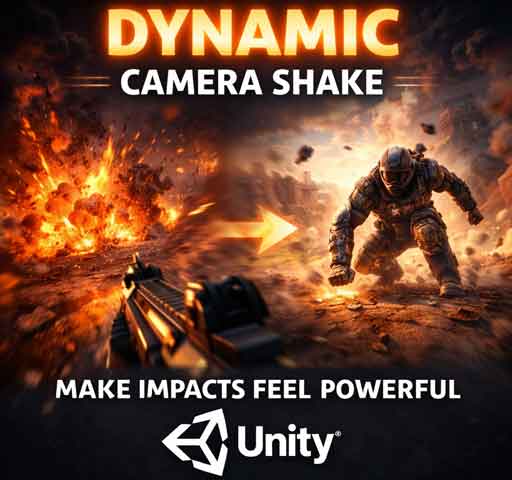
Nothing sells impact like a good camera shake.
An explosion goes off. The ground trembles. The player lands from a high jump. The screen shakes for just a split second and suddenly the moment feels powerful. Without it, the same action feels flat.
Camera shake is one of those small details that makes a game feel responsive and alive. But there’s a big difference between random shaking and a well-designed dynamic camera shake system.
In this guide, we’ll break down what dynamic camera shake is, how it works, how to build it in Unity, and how to control it in a way that feels intentional instead of chaotic.
What Is Dynamic Camera Shake?
A dynamic camera shake system adjusts intensity, duration, and behavior based on what’s happening in the game.
Instead of hardcoding a single shake effect, you create a flexible system that:
- Changes strength depending on impact
- Fades out smoothly
- Supports multiple shake sources
- Avoids motion sickness or overuse
The goal isn’t to shake the screen randomly. The goal is to enhance feedback.
When to Use Camera Shake
Camera shake works best when it reinforces physical force. For example:
- Explosions
- Gun recoil
- Heavy landings
- Boss attacks
- Environmental destruction
It should match the weight of the event. A grenade shouldn’t feel like an earthquake. A meteor strike shouldn’t feel like a light tap.
Basic Camera Shake (The Simple Way)
The simplest form of camera shake is randomly offsetting the camera’s position for a short duration.
Here’s a basic implementation:
using UnityEngine;

public class SimpleCameraShake : MonoBehaviour
{
    public float duration = 0.2f;
    public float magnitude = 0.3f;

    private Vector3 originalPosition;

    void OnEnable()
    {
        originalPosition = transform.localPosition;
    }

    public void Shake()
    {
        StartCoroutine(ShakeCoroutine());
    }

    System.Collections.IEnumerator ShakeCoroutine()
    {
        float elapsed = 0f;

        while (elapsed < duration)
        {
            float x = Random.Range(-1f, 1f) * magnitude;
            float y = Random.Range(-1f, 1f) * magnitude;

            transform.localPosition = originalPosition + new Vector3(x, y, 0f);

            elapsed += Time.deltaTime;
            yield return null;
        }

        transform.localPosition = originalPosition;
    }
}
This works, but it has limitations. The motion feels random and jittery. It doesn’t scale well for different types of impact.
Making It Dynamic
A better approach is to allow the shake to be triggered with parameters:
- Intensity
- Duration
- Frequency
This gives you control over how strong and how smooth the shake feels.
Improved Dynamic Shake System
using UnityEngine;

public class DynamicCameraShake : MonoBehaviour
{
    private Vector3 originalPosition;
    private float shakeDuration = 0f;
    private float shakeMagnitude = 0f;
    private float dampingSpeed = 2f;

    void Awake()
    {
        originalPosition = transform.localPosition;
    }

    void Update()
    {
        if (shakeDuration > 0)
        {
            transform.localPosition = originalPosition + Random.insideUnitSphere * shakeMagnitude;

            shakeDuration -= Time.deltaTime * dampingSpeed;
        }
        else
        {
            shakeDuration = 0f;
            transform.localPosition = originalPosition;
        }
    }

    public void TriggerShake(float intensity, float duration)
    {
        shakeMagnitude = intensity;
        shakeDuration = duration;
    }
}
Now you can call:
cameraShake.TriggerShake(0.5f, 0.4f);
This allows different events to pass different values. A pistol shot might use 0.1 intensity. A rocket explosion might use 0.6.
Smoother Shake with Perlin Noise
Random values every frame can look jittery. Real-world movement isn’t completely random. It flows.
Using Perlin Noise creates smoother, more natural shake motion.
using UnityEngine;

public class PerlinCameraShake : MonoBehaviour
{
    public float frequency = 25f;
    public float amplitude = 0.5f;
    public float duration = 0.5f;

    private float elapsed = 0f;
    private Vector3 originalPos;

    void Start()
    {
        originalPos = transform.localPosition;
    }

    void Update()
    {
        if (elapsed < duration)
        {
            float x = Mathf.PerlinNoise(Time.time * frequency, 0f) - 0.5f;
            float y = Mathf.PerlinNoise(0f, Time.time * frequency) - 0.5f;

            transform.localPosition = originalPos + new Vector3(x, y, 0f) * amplitude;

            elapsed += Time.deltaTime;
        }
        else
        {
            transform.localPosition = originalPos;
        }
    }

    public void StartShake(float newAmplitude, float newDuration)
    {
        amplitude = newAmplitude;
        duration = newDuration;
        elapsed = 0f;
    }
}
This feels less chaotic and more cinematic.
Distance-Based Shake
For explosions or world events, shake intensity should depend on how far the player is from the source.
Example idea:
float distance = Vector3.Distance(player.position, explosion.position);
float intensity = Mathf.Clamp01(1f - (distance / maxDistance));
cameraShake.TriggerShake(intensity * 0.6f, 0.4f);
This makes nearby explosions feel powerful while distant ones barely move the camera.
Layering Multiple Shakes
Advanced systems allow multiple shake events to stack.
Instead of replacing the current shake, you add intensity values together and clamp them. This prevents sharp interruptions when events overlap.
This is especially useful in action games where multiple impacts happen quickly.
Performance Considerations
Camera shake is lightweight, but keep these points in mind:
- Always reset to original position
- Avoid allocating new objects every frame
- Clamp maximum intensity
- Disable shake when paused
Even small bugs can cause the camera to drift permanently if you don’t reset properly.
Avoiding Motion Sickness
Too much shake can make players uncomfortable.
Best practices:
- Keep duration short
- Fade out smoothly
- Avoid constant shaking
- Offer a settings toggle to reduce shake intensity
Accessibility matters. Some players are sensitive to rapid screen movement.
When Camera Shake Makes the Biggest Impact
Camera shake works best when it’s rare and meaningful.
If everything shakes, nothing feels powerful.
Use it to emphasize key moments. A boss slam. A critical hit. A collapsing bridge. That’s where it shines.
Final Thoughts
Dynamic camera shake is about feedback, not chaos.
The best systems are flexible. They adapt to impact strength, distance, and context. They enhance gameplay without distracting from it.
Start simple. Add parameters. Improve with Perlin noise. Then tune it carefully.
When done right, players won’t consciously notice it. They’ll just feel the impact. And that’s exactly what you want.