Scriptable Render Pipeline Basics

Command Buffers Explained in Unity
February 23, 2026
Root Motion vs In-Place Animations
February 23, 2026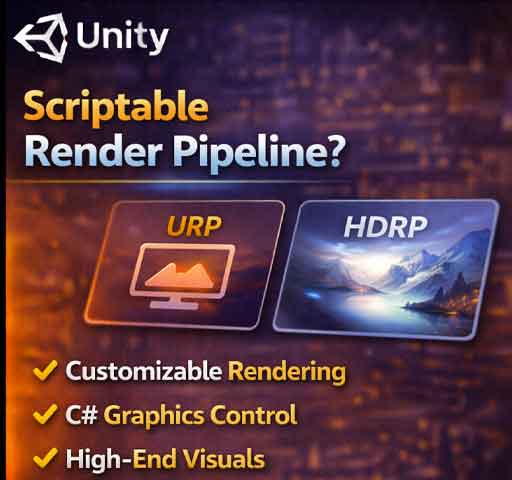
Unity’s rendering system has evolved significantly over the years. Instead of relying only on the built-in render pipeline, Unity now offers the Scriptable Render Pipeline (SRP), which gives developers much more control over how objects are rendered.
If you’ve heard terms like URP or HDRP, they are built on top of SRP. Understanding the basics of SRP helps you understand modern Unity rendering.
What Is Scriptable Render Pipeline?
Scriptable Render Pipeline is a customizable rendering framework. Instead of Unity deciding exactly how rendering works internally, SRP allows developers to define rendering behavior through C# scripts.
In simple terms, SRP lets you control:
- What gets rendered
- When it gets rendered
- How it gets rendered
Built-in Pipeline vs SRP
Built-in Pipeline:
- Fixed rendering process
- Limited customization
- Uses legacy shaders
Scriptable Render Pipeline:
- Fully customizable rendering flow
- Modern shader support
- Better performance optimization options
URP and HDRP
Unity provides two main SRP implementations:
- Universal Render Pipeline (URP) – optimized for performance and cross-platform support
- High Definition Render Pipeline (HDRP) – focused on high-end visuals
Both are built using SRP principles.
Core SRP Components
At a high level, SRP is made of three main parts:
- Render Pipeline Asset
- Render Pipeline Instance
- Render Context
Render Pipeline Asset
This asset stores configuration settings and creates the pipeline instance.
Render Pipeline Instance
This is where the actual rendering logic is defined.
ScriptableRenderContext
This object communicates with Unity’s low-level rendering system.
Simple Custom SRP Example
Below is a minimal example of creating a very basic custom render pipeline.
Step 1: Create a Render Pipeline Asset
using UnityEngine;
using UnityEngine.Rendering;

[CreateAssetMenu(menuName = "Rendering/Custom Render Pipeline")]
public class SimpleRenderPipelineAsset : RenderPipelineAsset
{
    protected override RenderPipeline CreatePipeline()
    {
        return new SimpleRenderPipeline();
    }
}
Step 2: Create the Render Pipeline
using UnityEngine;
using UnityEngine.Rendering;

public class SimpleRenderPipeline : RenderPipeline
{
    protected override void Render(
        ScriptableRenderContext context,
        Camera[] cameras)
    {
        foreach (Camera camera in cameras)
        {
            context.SetupCameraProperties(camera);

            CommandBuffer cmd = new CommandBuffer();
            cmd.ClearRenderTarget(true, true, Color.black);
            context.ExecuteCommandBuffer(cmd);
            cmd.Release();

            context.Submit();
        }
    }
}
This example clears the screen with black but does not render any geometry. It shows the structure of an SRP.
How to Use a Custom SRP
- Create the Render Pipeline Asset in the Project window.
- Go to Edit → Project Settings → Graphics.
- Assign your custom pipeline asset to the Scriptable Render Pipeline field.
Unity will now use your custom rendering logic.
Why Use SRP?
You might consider SRP if:
- You need custom rendering passes
- You want advanced post-processing
- You need optimized rendering for a specific platform
- You want full control over the render order
SRP vs Command Buffers
Command Buffers allow you to inject commands into the existing pipeline. SRP allows you to define the entire pipeline.
If you only need small rendering changes, Command Buffers may be enough. If you need full control, SRP is the solution.
Important Concepts to Learn Next
- ScriptableRenderPass
- ScriptableRendererFeature (URP)
- Custom post-processing in URP
- Shader Graph for SRP
Performance Considerations
- SRP allows fine-grained optimization
- You can remove unnecessary rendering steps
- Incorrect implementation can reduce performance
- URP is generally best for most projects
Final Thoughts
Scriptable Render Pipeline gives developers deep control over Unity’s rendering system. While the built-in pipeline works well for many projects, SRP opens the door to custom rendering techniques and performance optimization.
You don’t need to write your own SRP to benefit from it. Using URP or HDRP already gives you the advantages of the Scriptable Render Pipeline architecture.



![There’s something satisfying about watching a flat, boring plane turn into a mountain range. That’s exactly what a height map does in Unity. With a simple grayscale image, you can shape landscapes, add depth to materials, and create worlds that feel real instead of flat. It’s one of those tools that looks technical at first, but once you understand it, it becomes surprisingly simple and powerful. In this guide, we’ll break down what a height map is, how it works in Unity, how to use it for terrain, how it differs from normal maps, and how to control it with C#. What Is a Height Map? A height map is a grayscale image where each pixel represents elevation. Black = lowest height White = highest height Gray = values in between Think of it like a topographic map, but simplified into brightness levels. Unity reads this image and uses the brightness values to push parts of a surface up or down. The result? Hills, valleys, cliffs, and surface details created from a simple image. Height Maps in Unity Terrain The most common use of height maps in Unity is terrain generation. Unity’s Terrain system allows you to import a height map and automatically generate a 3D landscape from it. How to Import a Height Map into Terrain Create a Terrain: GameObject → 3D Object → Terrain Select the Terrain object. Open the Terrain Inspector. Choose Import Raw under the heightmap settings. Select your grayscale RAW file. Once imported, Unity converts the grayscale values into elevation data. If your height map is smooth, you’ll get rolling hills. If it has sharp contrast, you’ll get steep cliffs. Height Map Resolution Matters Resolution affects how detailed your terrain will be. A low-resolution height map creates blocky terrain. A high-resolution height map creates smoother, more detailed landscapes. However, higher resolution also increases memory usage and processing cost. If you're building for mobile, balance detail with performance. Height Maps vs Normal Maps This is where many beginners get confused. Height Map Actually changes geometry (in terrain or displacement). Creates real depth. More performance cost if geometry changes. Normal Map Does NOT change geometry. Fakes lighting to simulate bumps. Much cheaper performance-wise. If you need real terrain shape, use a height map. If you just want surface detail like cracks or scratches, a normal map is usually better. Using Height Maps in Materials (Parallax & Displacement) Height maps are not limited to terrain. You can also use them in materials. In Unity’s Standard Shader (or URP/HDRP equivalents), height maps can be used for: Parallax Mapping – creates depth illusion without changing geometry. Displacement Mapping – actually modifies mesh vertices (HDRP). For example, if you apply a brick texture, adding a height map can make the mortar appear recessed and bricks raised. Creating Height Maps You can create height maps using: Photoshop or GIMP (grayscale images) Blender (baked displacement maps) World Machine or Gaea (terrain generation tools) Procedural generation with code The key is keeping it grayscale and avoiding compression artifacts. Generating a Height Map with Code You can also generate terrain procedurally using Perlin Noise. This is common in open-world or survival games. Here’s a simple example: [csharp] using UnityEngine; public class TerrainGenerator : MonoBehaviour { public Terrain terrain; public int depth = 20; public int width = 256; public int height = 256; public float scale = 20f; void Start() { terrain.terrainData = GenerateTerrain(terrain.terrainData); } TerrainData GenerateTerrain(TerrainData terrainData) { terrainData.heightmapResolution = width + 1; terrainData.size = new Vector3(width, depth, height); terrainData.SetHeights(0, 0, GenerateHeights()); return terrainData; } float[,] GenerateHeights() { float[,] heights = new float[width, height]; for (int x = 0; x < width; x++) { for (int y = 0; y < height; y++) { heights[x, y] = Mathf.PerlinNoise(x / scale, y / scale); } } return heights; } } [/csharp] This script generates a terrain using Perlin Noise, which creates natural-looking hills and variation. Controlling Height Strength Sometimes height maps look too extreme. Other times they look flat. In terrain settings, you can adjust: Terrain height (Y scale) Brush strength (when sculpting manually) In materials, you can adjust height intensity inside the shader settings. Small adjustments make a big difference. Subtle depth often looks more realistic than exaggerated displacement. Common Problems and Fixes Terrain Looks Blocky Increase heightmap resolution or smooth the terrain. Edges Look Stretched Make sure your height map is square and uses proper dimensions (like 512x512 or 1024x1024). Lighting Looks Strange Check your normal settings and ensure lighting is baked or set correctly. When to Use Height Maps Use height maps when: You need large landscapes. You want realistic terrain shaping. You’re building procedural worlds. You need true geometric depth. Skip them when: You only need small surface detail. Performance is extremely limited. Final Thoughts Height maps are one of those tools that feel technical at first, but once you use them, they become creative tools. You’re not just editing numbers. You’re sculpting mountains. Carving valleys. Designing the shape of a world. Start simple. Import a grayscale image. Adjust the scale. Play with noise. Watch how small changes affect the landscape. Once you understand height maps, Unity stops feeling like a flat engine. It starts feeling like a world builder.](http://unityqueen.com/wp-content/uploads/2026/02/Lighting-in-Unity-150x150.jpg "Lighting in Unity: A Practical Guide for Game Developers")